<?xml version="1.0" encoding="utf-8"?>
<feed xmlns="http://www.w3.org/2005/Atom">
    <title>Tintinesque - Features</title>
    <link rel="alternate" type="text/html" href="http://www.tintinesque.com/features/" />
    <link rel="self" type="application/atom+xml" href="http://www.tintinesque.com/features/atom.xml" />
   <id>tag:www.tintinesque.com,2006:/features/25</id>
    <link rel="service.post" type="application/atom+xml" href="http://www.legofishlabs.com/mt/mt-atom.cgi/weblog/blog_id=25" title="Tintinesque - Features" />
    <updated>2006-12-05T17:35:28Z</updated>
    
    <generator uri="http://www.sixapart.com/movabletype/">Movable Type 3.2</generator>
 
<entry>
    <title>www.tintin.qc.ca</title>
    <link rel="alternate" type="text/html" href="http://www.tintinesque.com/features/archives/wwwtintinqcca.html" />
    <link rel="service.edit" type="application/atom+xml" href="http://www.legofishlabs.com/mt/mt-atom.cgi/weblog/blog_id=25/entry_id=4495" title="www.tintin.qc.ca" />
    <id>tag:www.tintinesque.com,2006:/features//25.4495</id>
    
    <published>2006-08-30T21:24:32Z</published>
    <updated>2006-12-05T17:35:28Z</updated>
    
    <summary></summary>
    <author>
        <name>admin</name>
        <uri>legofishlabs.com</uri>
    </author>
    
    <content type="html" xml:lang="en-us" xml:base="http://www.tintinesque.com/features/">
        
        <![CDATA[<p>There used to be a Tintin site at www.tintin.qc.ca, which supplied a great deal of interesting information about Tintin. The site was blocked a couple of years ago by a court order initiated by Moulinsart, which is trying to enforce its copyright control over all things Tintin frimly. Recently, I saw the page <a href = "http://www.free-tintin.net/english">http://www.free-tintin.net/english/<a>, which is either a mirror of the old site or the whole thing resurrected.</p>]]>
    </content>
</entry>
<entry>
    <title>Tintin and Citroen</title>
    <link rel="alternate" type="text/html" href="http://www.tintinesque.com/features/archives/tintin_and_citroen.html" />
    <link rel="service.edit" type="application/atom+xml" href="http://www.legofishlabs.com/mt/mt-atom.cgi/weblog/blog_id=25/entry_id=4494" title="Tintin and Citroen" />
    <id>tag:www.tintinesque.com,2004:/features//25.4494</id>
    
    <published>2004-08-11T07:26:31Z</published>
    <updated>2006-12-05T17:35:36Z</updated>
    
    <summary>I&apos;m always fascinated when I come across new Tintin artwork by Herg鮠I mean the ones not featured in the stories. Given Tintin&apos;s huge popularity in different countries, it&apos;s not surprising to see original Herg頡rtwork in comissioned advertisments and promotional material....</summary>
    <author>
        <name>admin</name>
        <uri>legofishlabs.com</uri>
    </author>
    
    <content type="html" xml:lang="en-us" xml:base="http://www.tintinesque.com/features/">
        <![CDATA[<p>I'm always fascinated when I come across new Tintin artwork by Herg鮠I mean the ones not featured in the stories.</p>

<p>Given Tintin's huge popularity in different countries, it's not surprising to see original Herg頡rtwork in comissioned advertisments and promotional material. But finding them is difficult unless you know the lanuage or you are from that country, since English tintin resources are so few and limited.</p>

<p>One of the recent interesting things I came across was Herg頤rawings for Citro뮬 the <strike>German</strike> French car manufacturer. As it turned out Herg頨as done numerous drawings for their brochures and posters and even some mini-stories. I have gathered them all here.</p>

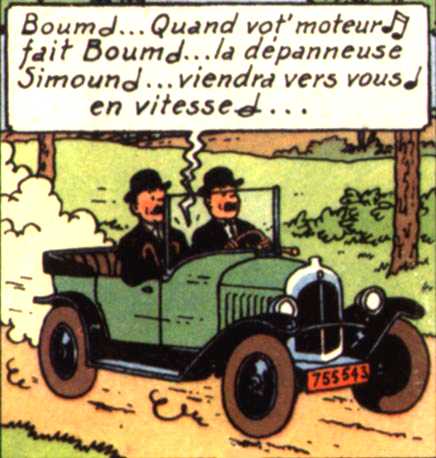
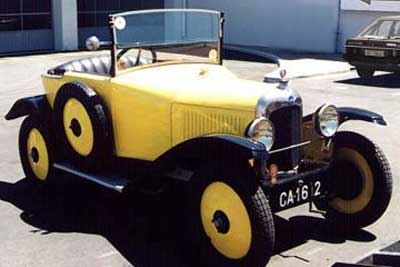
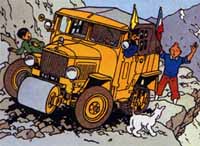
<p>Besides the exclusive material, Citro뮠has also been featured in the Tintin stories. Like this 5 CV in Land of Black Gold:</p>

<div align="left">
<img alt="5CV.jpg" src="http://tintinesque.com/features/archives/5CV.jpg" width="320" border="0" /></div><br>

<div align="left">
<img alt="Citroen5CV 1924.jpg" src="http://tintinesque.com/features/archives/Citroen5CV_1924.jpg" width="320" border="0" /></div>

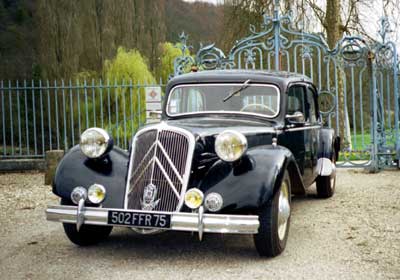
<p>Or this 15 six in the Calculus Affair:</p>

<div align="left">
<img alt="15Six.jpg" src="http://tintinesque.com/features/archives/15Six.jpg" width="320" border="0" /></div><br>

<div align="left">
<img alt="Citroen15Six.jpg" src="http://tintinesque.com/features/archives/Citroen15Six.jpg" width="320" border="0" /></div>

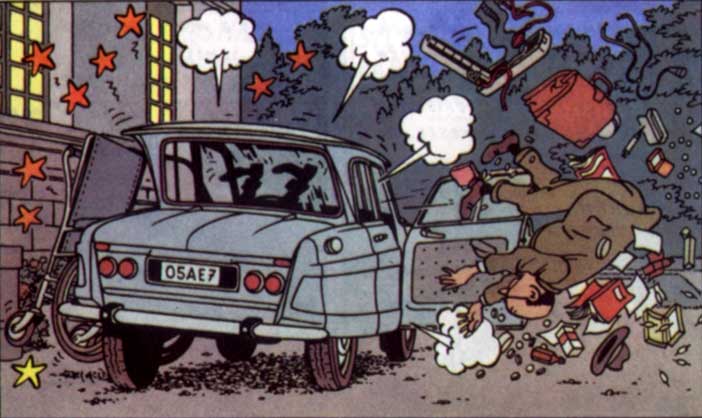
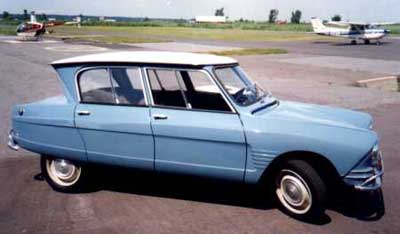
<p>And finally, there's the Ami 6 in the Castafiore Emerald:</p>

<div align="left">
<img alt="Ami6 " src="http://tintinesque.com/features/archives/Ami6-1.jpg" width="320"  border="0" /></div><br>

<div align="left">
<img alt="CitroenAmi6.jpg" src="http://tintinesque.com/features/archives/CitroenAmi6.jpg" width="320" border="0" /></div>

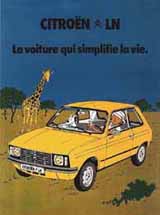
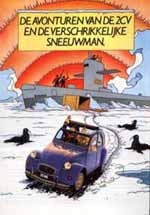
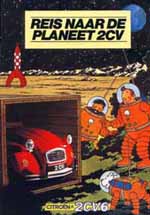
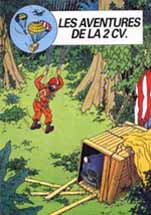
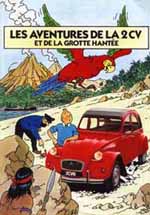
<p>But the Tintin-Citro뮠connection doesn't end there. There are tons of really cool promo material, like these brochures:</p>

<div align="left"><img alt="ln.jpg" src="http://tintinesque.com/features/archives/ln.jpg" width="100"  border="0" /> <img alt="" src="http://tintinesque.com/features/archives/l3.jpg" width="100" border="0" /> <img alt="" src="http://tintinesque.com/features/archives/l4.jpg" width="100"  border="0" /></div>

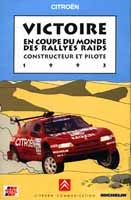
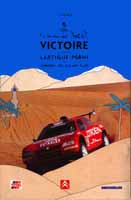
<p>Or these ones, from 1993 and 1995</p>

<div align="left"><img alt="ra " src="http://tintinesque.com/features/archives/ra1.jpg" width="131" height="200" border="0" /> <img alt="" src="http://tintinesque.com/features/archives/ra2.jpg" width="131" height="200" border="0" /></div>

<p>Cooperation between Citro뮠and Herg頨ad begun in the 50s and 60s, with Herg頤oing a few ads for Citro뮬 but the real start was in the 70's, where a campaign for the models gs and LN prepared the prelude to an extremely successful co-operation between Citroeen and Herg鬠which were continued well into the 90's. </p>

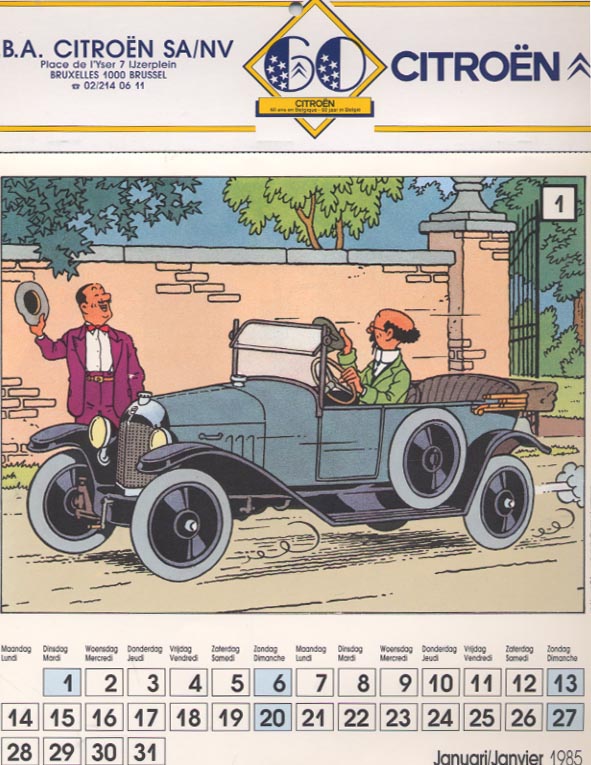
<p>The peak was in mid-80's, when Herg頰roduced 4 brochures for Citro뮮 The "Aventures de la 2CV" appeared in France, Belgium, Great Britain, the Netherlands, Italy, Switzerland and Austria. In 1985, Herg頠did a calendar for Citro뮮 Check out the other pages of the Calendar <a href="http://perso.club-internet.fr/olivier-gayet/Pages%20Principales/2%20CV%20Tintin.htm">here</a>, it's all original artwork, amazing stuff.<br />
<br><br />
<div align="left"><br />
<img alt="Calendrier_Tintin.jpg" src="http://tintinesque.com/features/archives/Calendrier_Tintin.jpg" width="320"  border="0" /><br />
</div></p>

<p>In 1988 thousands of copies of the volume "Tintin outer Tibet" was distributed to customers. They carried a label "AX88 - Citroeen thanks you for its attendance". </p>

<div align="left">
<img alt="cn1.jpg" src="http://tintinesque.com/features/archives/cn1.jpg" width="200" height="146" border="0" /></div>

<p>Here are a couple of the brochures. You can also see the other two from the Citroen website: <a href="http://www.citroen.mb.ca/citroenet/html/number/2cv-19.html">here</a>, and <a href="http://www.citroen.mb.ca/citroenet/html/number/2cv-20.html">here</a>. </p>

<p>Click on the images to launch the other two (you need a Java-enabled browser). Unfortunately I don't understand any of it. If any of you do, and wouldn't mind translating them, please leave a comment.</p>

<div align="left"><a href="#" onClick="MM_openBrWindow('b1.htm','','width=700,height=300')">
    <img border="0" src="http://tintinesque.com/features/archives/1.jpg" style="text-decoration: none" ></a>,<a href="#" onClick="MM_openBrWindow('av2.htm','','width=700,height=300')">
    <img border="0" src="http://tintinesque.com/features/archives/2.jpg" style="text-decoration: none" ></a></div>

<p><br />
Sources: <a href="http://mapage.noos.fr/dardelf3/tintin/">1</a>, <a href="http://www.garage2cv.de/les%20aventures%20de%20la%202cv/Im%20Land%20des%20Doppelwinkels.htm">2</a>, <a href="http://perso.club-internet.fr/olivier-gayet/Pages%20Principales/2%20CV%20Tintin.htm">3</a>.</p>]]>
        
    </content>
</entry>
<entry>
    <title>Do-it-Yourself Garage Door</title>
    <link rel="alternate" type="text/html" href="http://www.tintinesque.com/features/archives/doityourself_garage_door.html" />
    <link rel="service.edit" type="application/atom+xml" href="http://www.legofishlabs.com/mt/mt-atom.cgi/weblog/blog_id=25/entry_id=4493" title="Do-it-Yourself Garage Door" />
    <id>tag:www.tintinesque.com,2004:/features//25.4493</id>
    
    <published>2004-07-18T16:56:53Z</published>
    <updated>2006-12-05T17:35:44Z</updated>
    
    <summary>By Rob Winkels. Republished with permission. This article was originally published in tintinologist.org. In August 1998 I had the idea to decorate my garage door. The door needed painting after all. I only had to find a good design. As...</summary>
    <author>
        <name>admin</name>
        <uri>legofishlabs.com</uri>
    </author>
    
    <content type="html" xml:lang="en-us" xml:base="http://www.tintinesque.com/features/">
        <![CDATA[<p><smal><small>By Rob Winkels. Republished with permission. This article was originally published in tintinologist.org.</small></small></p>

<center><img src="http://tintinesque.com/archives/garage01.jpg"></center>

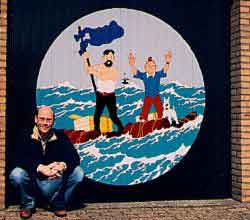
<p>In August 1998 I had the idea to decorate my garage door. The door needed painting after all. I only had to find a good design. As a Tintin-lover it wasn?t that difficult to find a good subject. I decided on The Red Sea Sharks... with my own touch.</p>

<p>On the original book cover, there were three men on the raft: Tintin, Haddock and Skut, the Estonian pilot. However, for my garage door, I only wanted to have Tintin and Haddock, because they are the central characters recognisable to most people.</p>

<p>When I made the design, I got really enthusiastic and wanted to finish the project as soon as possible. But, life was never meant to be easy. I had a slight problem: rain.</p>

<p>What awful summer weather we had in Holland last August! The project took me almost an entire month to complete. Everyday returning home from work, I would take up my paintbrush and start painting between the raindrops. The saddest moments were the wasted weekends when I had all the time in the world to paint, but the weather just wouldn?t allow me to.</p>

<div id="postitle">The 10-Step Guide to making your own Tintin garage door</div>

<p><b>Step 1: Tracing the original</b><br />
Take an A4 sheet of tracing paper and trace the contours and lines into an outline. If you want to make any adjustments like I did, leaving out the 3rd person and replace it for some extra sea, do so now.</p>

<p><a href="http://tintinesque.com/archives/garage.zip">Download Tintin garage door design outline</a> [163KB ZIP]. </p>

<p><b>Step 2: Scan the tracing with a flatbed scanner</b><br />
Take the outline transparent you made in Step 1 and scan it on your flatbed scanner. Do it in a high DPI, for example 300 DPI.</p>

<p><b>Step 3: Fill in the colours</b><br />
Take your favourite drawing program, for instance Paint Shop Pro, open the picture you have just made in Step 2. Reduce the number of colours to 256. The number of colours I used was about 13. Now fill in the colours you like, or the colours that best match the original colours. Once you're ready, print the picture, and put it in a plastic sleeve. You?ll need it for later when painting the door as your home-made original.</p>

<p><b>Step 4: Make a colour scheme</b><br />
Now count the number of unique colours of your original picture and make an equal number of rectangles of about 2x4 cm on a new picture. Fill the rectangles with the same colours you made for your original picture. Print this picture too. You'll need it in Step 5.</p>

<p><b>Step 5: Get the paint from your local hardware store</b><br />
Take the grid with the coloured rectangles and go to your local hardware store. The paint shop will stock some brands of paint, which will either match, or closely match your colours. Maybe you'll have to let the paint shop mix some of the colours you need.</p>

<p>Ok, this might be a bit of a disappointment: my local paint shop only mixes 0.5L cans. Now, 0.5L is more than you will need for 10 garage doors!! The colours that I needed most were: white, cyan for the sea and blue for the sky. I bought 250 ml of cans with standard colours and even that was way too much. I ended up only using between 50 to 100 ml per colour.</p>

<blockquote>WARNING:

<p>Use only paints on turpentine base. Do not use turpentine-based paints and mix it with car paint or paints of other sorts, it will ruin your precious work!</p>

<p>Do not forget to buy transparent lacquer, too, for the finishing layer to protect your work against sunlight and so on.</p>

<p>Use transparent lacquer for metal (not wood)! 250 ml will be sufficient for coating the entire garage door once.</blockquote></p>

<p><b>Step 6: Make a transparent foil for the overhead projector</b><br />
Take the outline drawing you made in Step 1 and take it to a Xerox/copying machine. Make a copy to an overhead transparency sheet.</p>

<p><b>Step 7: Arrange for an overhead projector</b><br />
After the garage door is sand-papered and painted with a (light coloured) primer, it?s time to take the overhead-projector and wait until it's dark outside. Now the fun begins.</p>

<p>Project your transparent copy on the garage door. Make sure the image is in the middle and perpendicularly projected. Now trace the projected outlines with a permanent marker, such as an Edding 3000, which is water-resistant. This is vitally important, because we do not want our outlines washed out with the next shower, do we?</p>

<p><b>Step 8: Fill the outlines on the garage door</b><br />
Now it?s time to start the real paint job. Use a small brush, +/- 4 mm width, and colour all the parts. This is the worst part of the job. The biggest problem is to stand in a good pose and do the painting. Don't under estimate this, if you're not careful, you will surely end up with a very sore back! So my advice to you is mind your back, and don?t paint for too long. Take a break once in a while, or better still: get somebody to help you do this part of the job!</p>

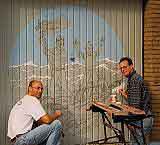
<center><img src="http://tintinesque.com/archives/garage02.jpg"><small>
[Step 8 - Rob and Jack filling out the outlines on the garage door]</small></center>

<p><b>Step 9: Refresh the outlines</b><br />
After all the colours have been put on, most of the outlines are not that nice anymore. Just take your permanent marker again and redraw all the outlines. Don?t be afraid to thicken them quite well. The width can be as thick as 4-5 mm. Afterwards, the image on the door will be enhanced by those thicker outlines.</p>

<p><b>Step 10: Finish your work with the transparent lacquer</b><br />
To ensure your newly painted garage door stays beautiful for a long time, finish it with a layer of transparent lacquer. The lacquer protects your work from minor damages and above all, sunlight. After some years, when the lacquer becomes dull, just clean the door thoroughly, and give it a fresh coat of transparent lacquer. You won't have to repaint all the colours again... thank Goodness for that!</p>

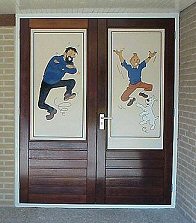
<p><b>Update:</b> Rob moved house in 2001, and he has since painted a new Tintin garage door [see picture below].</p>

<center><img src="http://tintinesque.com/archives/garage2001.jpg"></center>]]>
        
    </content>
</entry>
<entry>
    <title>New Section: Features</title>
    <link rel="alternate" type="text/html" href="http://www.tintinesque.com/features/archives/new_section_features.html" />
    <link rel="service.edit" type="application/atom+xml" href="http://www.legofishlabs.com/mt/mt-atom.cgi/weblog/blog_id=25/entry_id=4492" title="New Section: Features" />
    <id>tag:www.tintinesque.com,2004:/features//25.4492</id>
    
    <published>2004-07-18T00:29:32Z</published>
    <updated>2006-12-04T18:51:52Z</updated>
    
    <summary>Welcome to the Features section of Tintinesque. Here I will post the more in-depth articles and essays, to distinguish them from the regular daily blog updates. You can access the Features from the side-bar. And, as always, you can send...</summary>
    <author>
        <name>admin</name>
        <uri>legofishlabs.com</uri>
    </author>
    
    <content type="html" xml:lang="en-us" xml:base="http://www.tintinesque.com/features/">
        <![CDATA[<p>Welcome to the Features section of Tintinesque. Here I will post the more in-depth articles and essays, to distinguish them from the regular daily blog updates. 

You can access the Features from the side-bar. And, as always, you can send in your articles to webmast at tintinesque dot com.

</p>]]>
        
    </content>
</entry>

</feed>